Process Instance Migration
Migration moves running process instances to another version of the process definition, for example after you deploy a fixed model. How the engine performs migration is described in the Operaton documentation: Process Instance Migration.
Migrating from the Processes view
The actions column enables migration of running process instances to newer process versions directly from the Processes view.
-
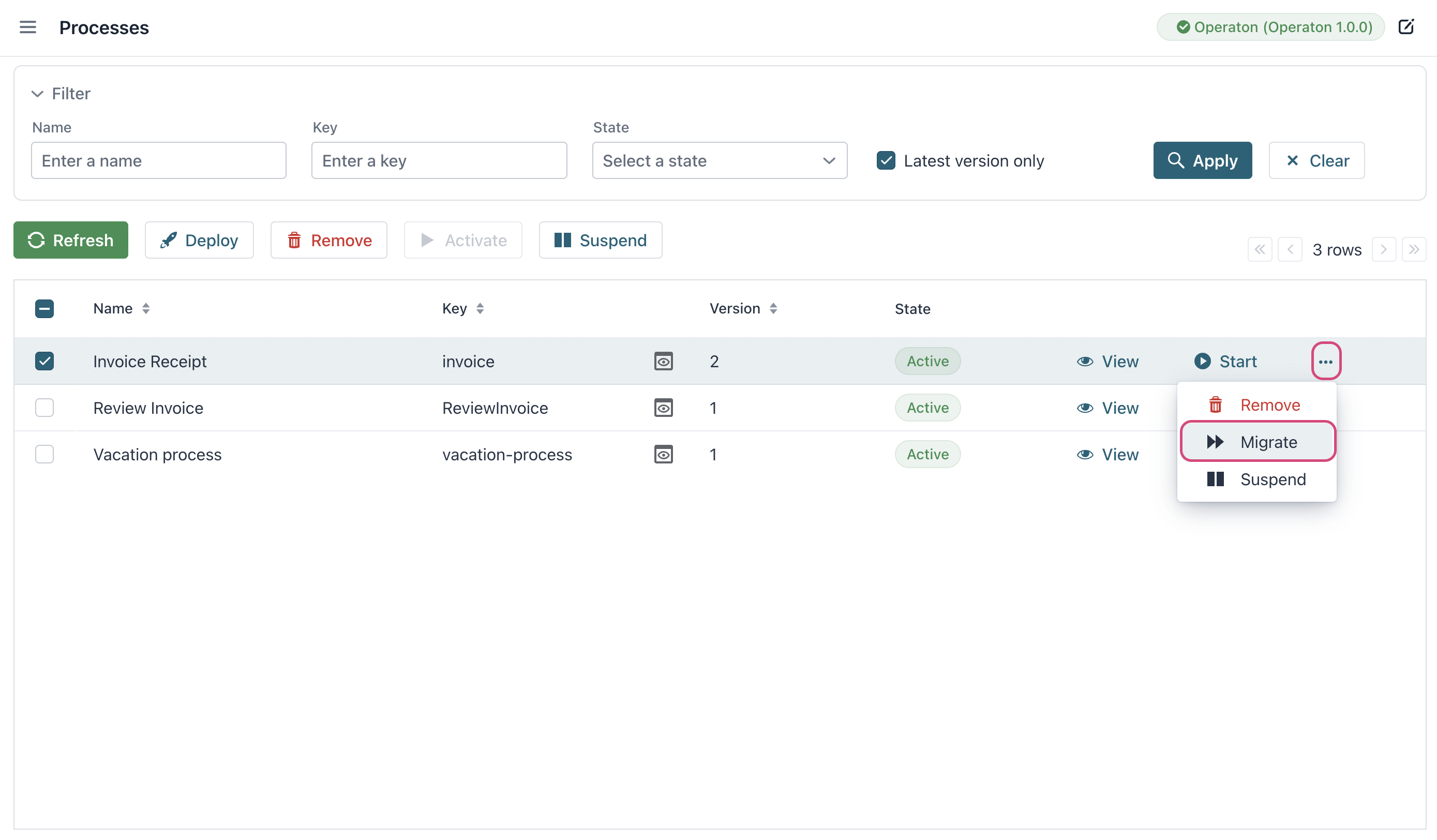
Select target process in the processes table.
-
Click ... → Migrate in the actions column.
-
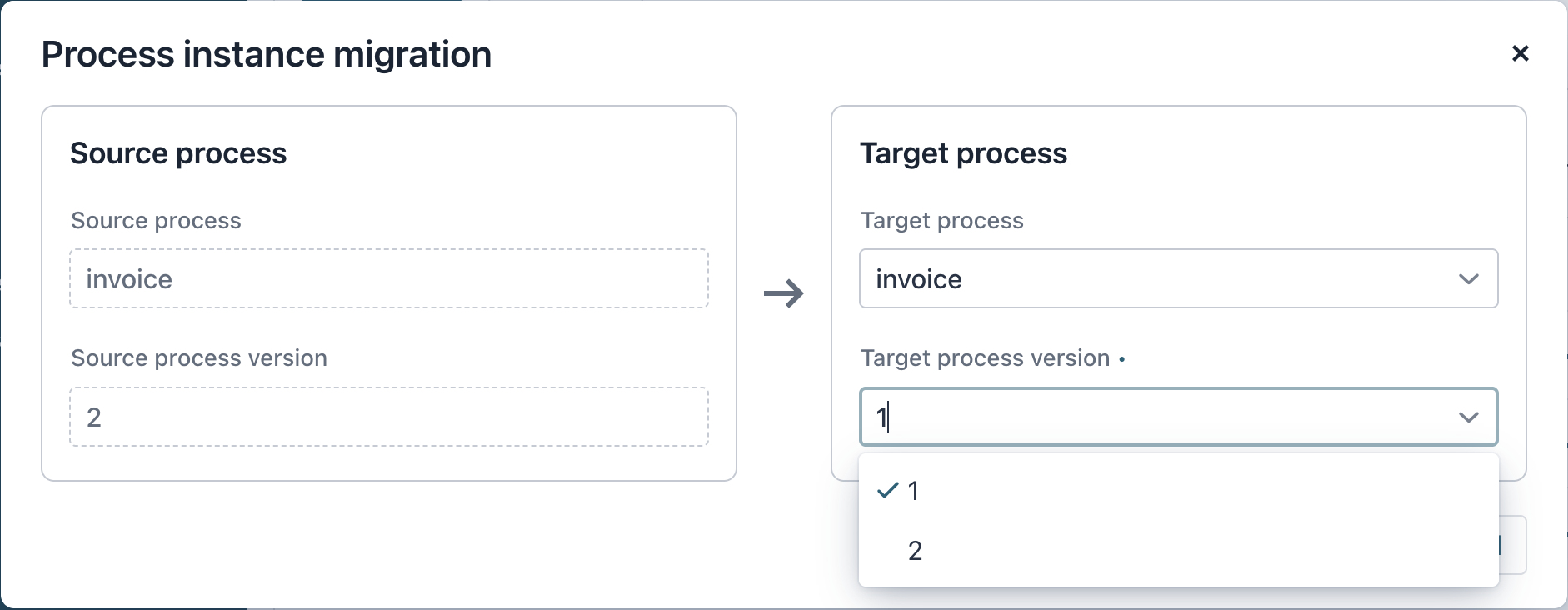
Configure migration:
-
Source process: Automatically detected (current running instances).
-
Target process: Select from deployed versions dropdown.
-
Migrating a single instance
You can start migration of a single instance from the detailed process instance view. The migration action is in the right-hand panel.