DMN Decisions
The application provides comprehensive support for DMN (Decision Model and Notation) decision tables through the DMN → Decisions menu item.
Selecting this menu item displays a comprehensive list of all decision tables currently deployed to your active BPM engine.
| Decision definitions and instances are displayed using historical data. |
Decision Table List
The Decisions view displays all DMN decision tables deployed to your active BPM engine in a sortable, filterable table format.
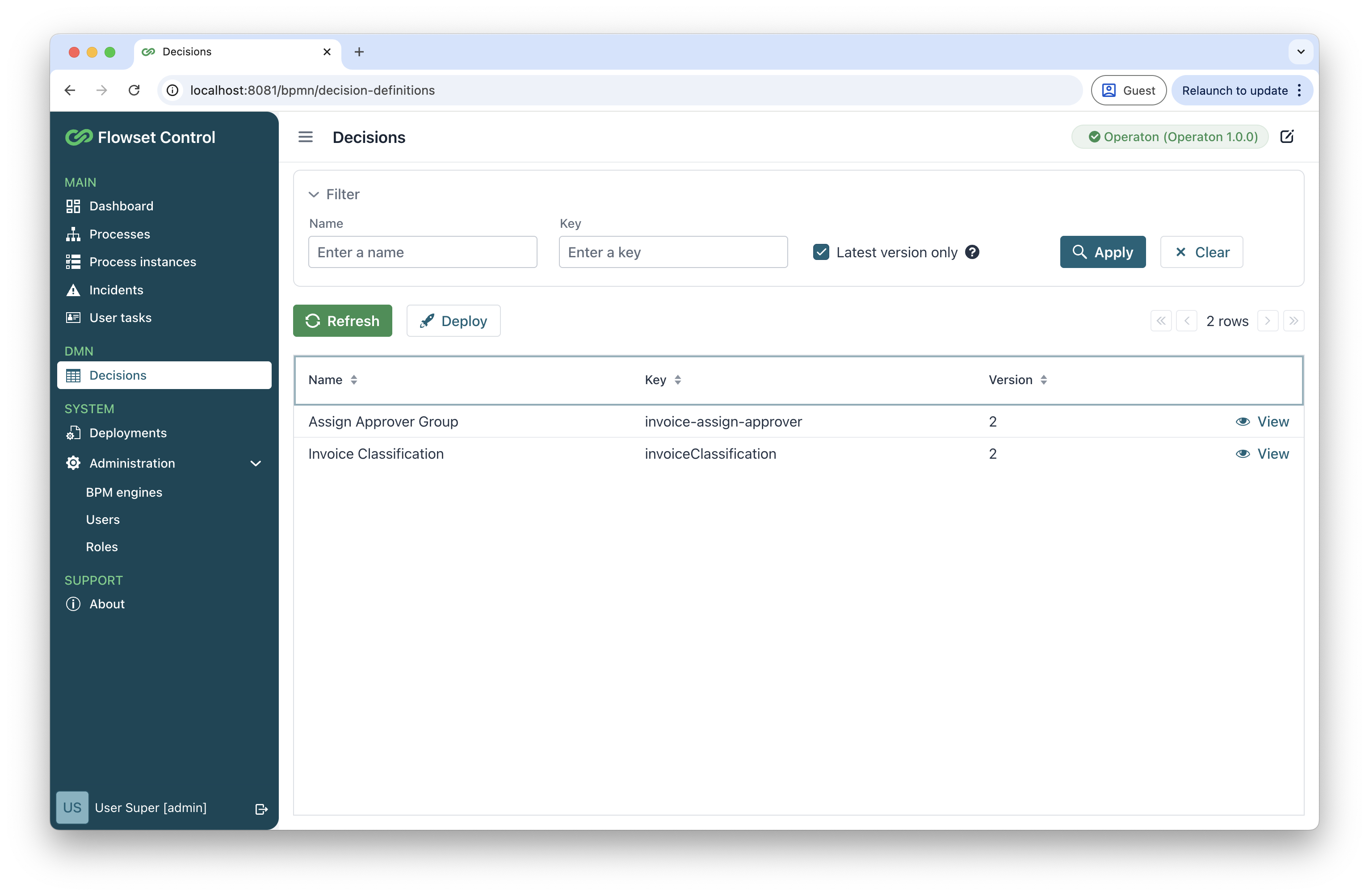
A simplified filter appears at the top of the table with the following behavior:
-
Supports basic name-based and key-based searching
-
Includes the Latest version only checkbox option
| The name search and Latest version only filter are mutually exclusive. When a name is specified, the Latest version only checkbox automatically clears to ensure accurate results. |
The following actions are available:
| Action | Description |
|---|---|
Refresh |
Reloads the current DMN decision list from the connected BPM engine. |
Deploy |
Uploads and deploys new DMN files. See Deploying DMN Table. |
View |
Displays detailed DMN table information. See Viewing Decision Details. |
Evaluate decision |
Opens a standalone evaluation view for the selected decision table. See Evaluating Decisions. |
Deploying DMN Table
To deploy a DMN table:
-
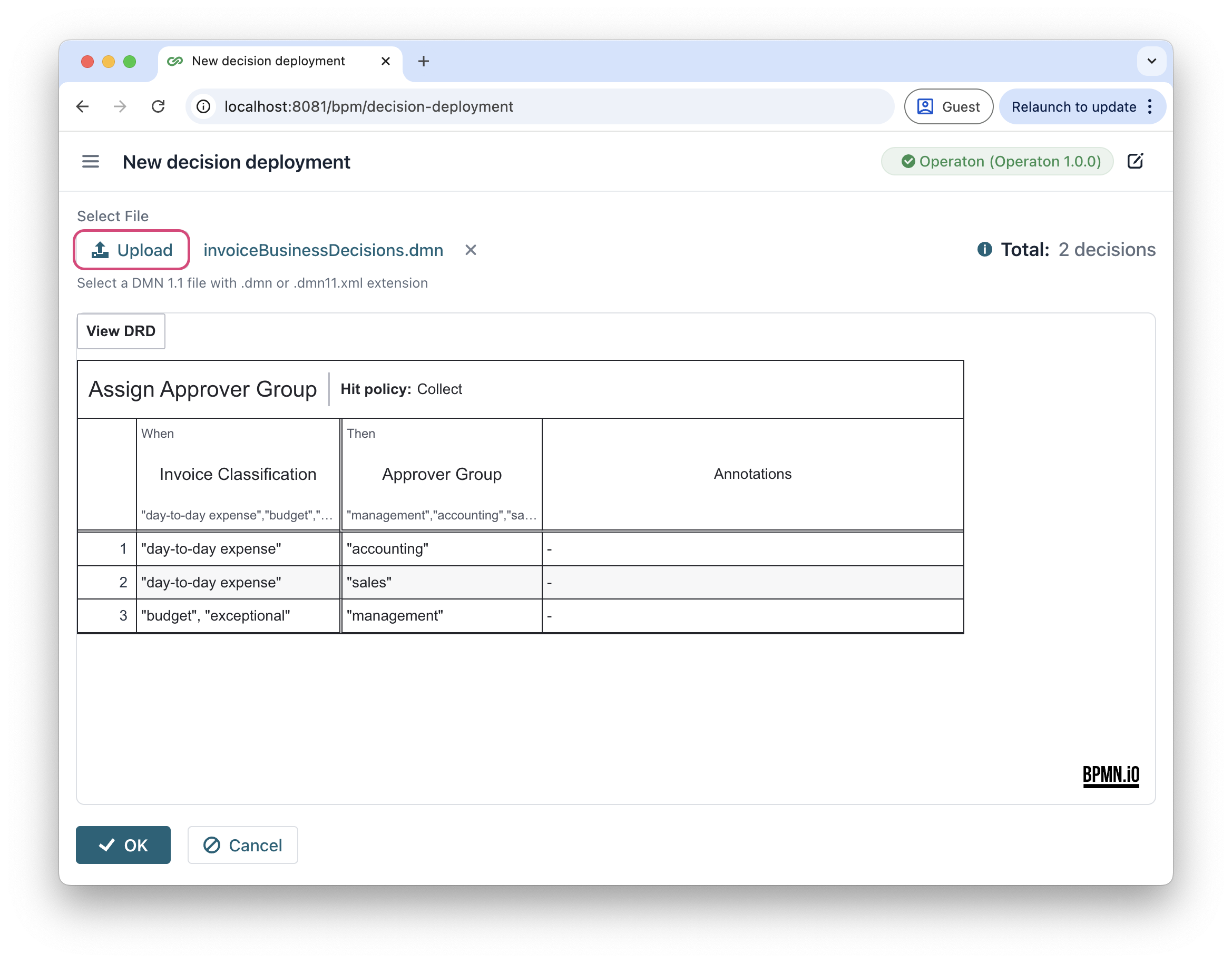
In the Decisions view, click Deploy
-
In the New decision deployment view, click Upload and select your DMN 1.1(.dmn or .dmn11.xml) file.
-
Click OK to complete deployment.
Viewing Decision Details
The View action provides comprehensive insights into deployed decision definition.
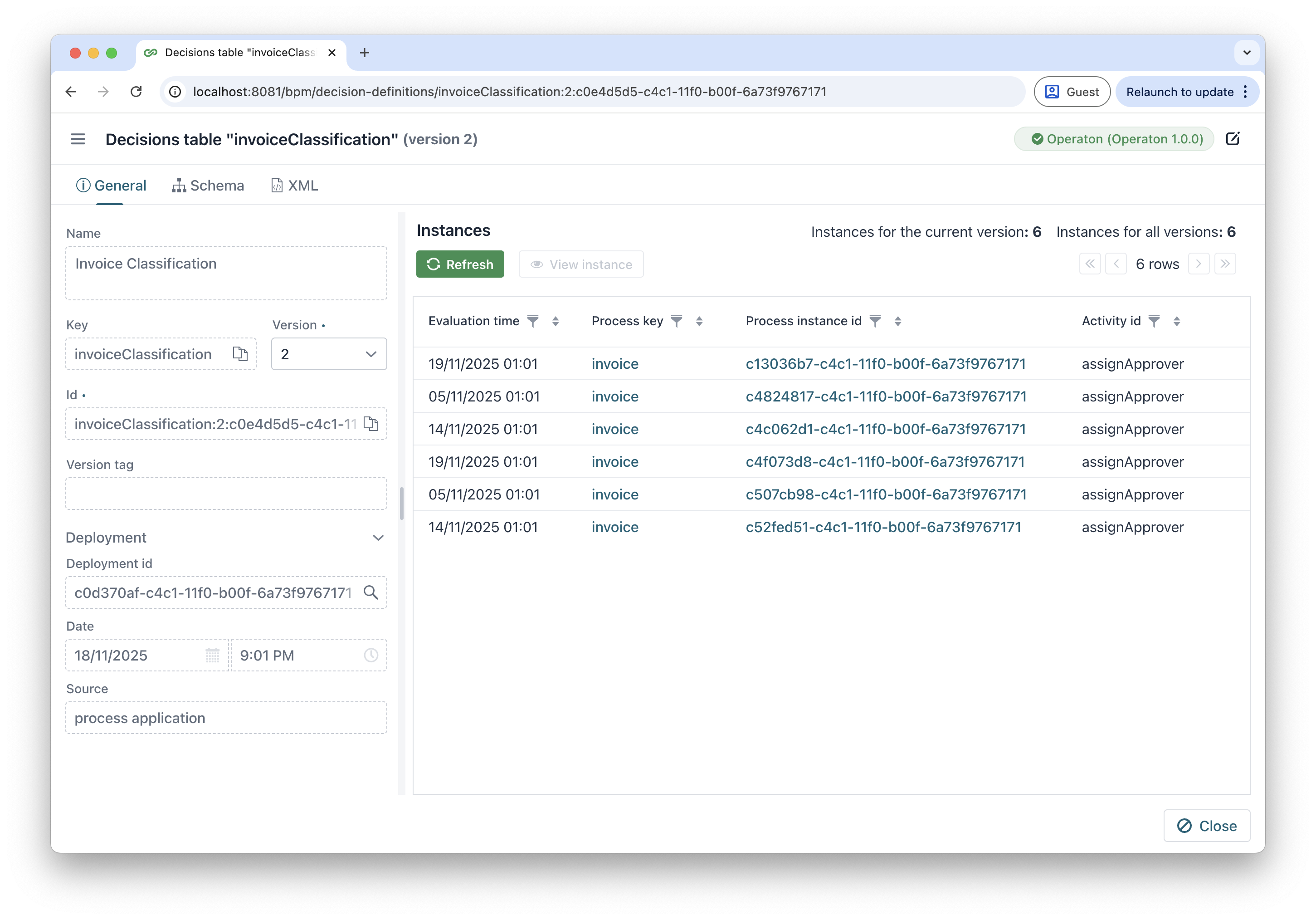
Select a deployed decision definition and click View in the actions column. The application opens in a multi-tab view:
-
The General tab - basic decision table information.
The left panel contains:
-
Name - human-readable decision table identifier.
-
Key - unique business key for reference.
-
Version - the version of the decision definition.
-
Id - system-generated unique identifier.
-
Deployment Id - includes a direct link to navigate to the parent deployment.
The right panel displays concrete execution instances in a tabular format with:
-
Built-in column filters in the table header.
-
Capability to drill down into specific instances.
-
-
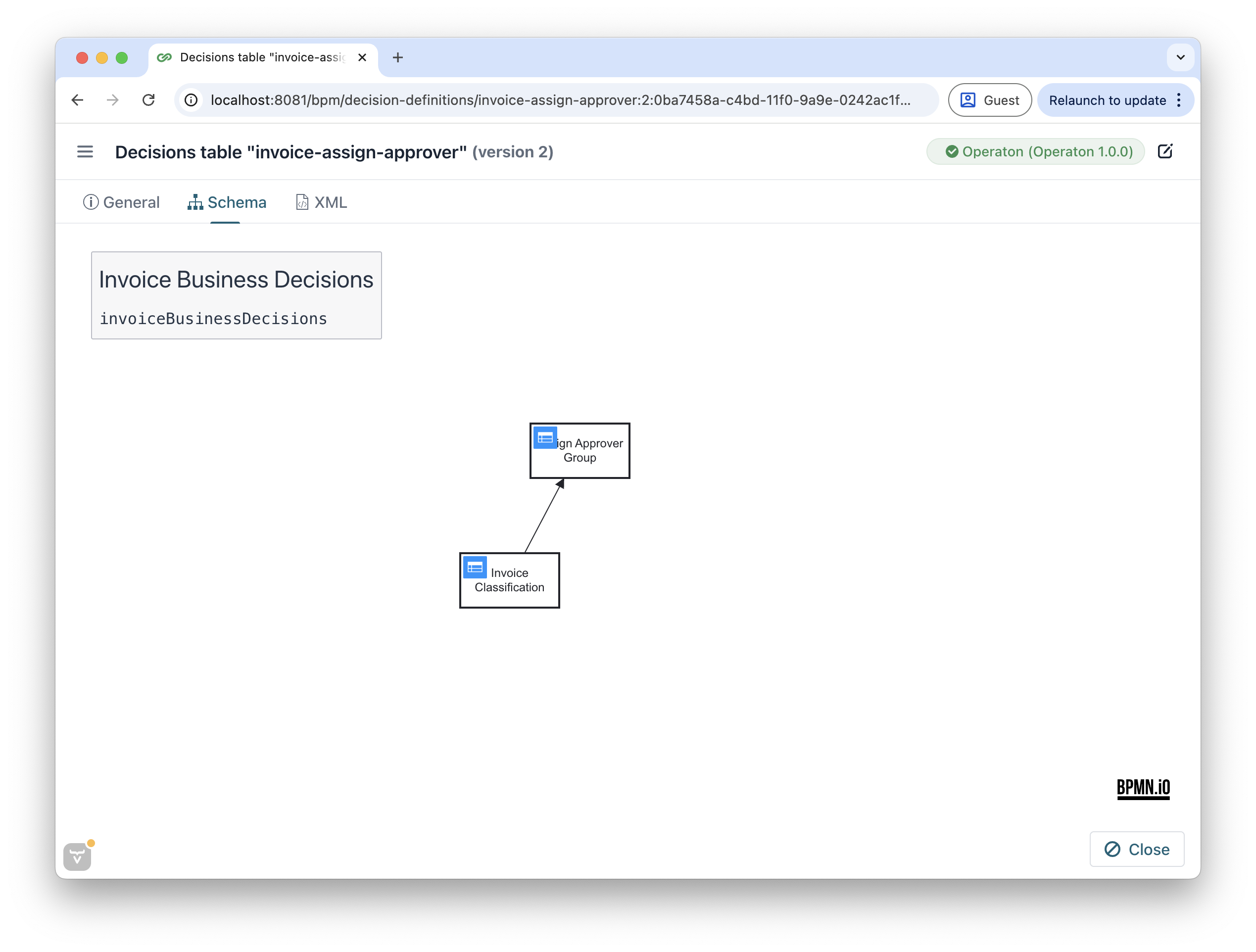
The Schema tab - a diagram of the deployed decision definition.
-
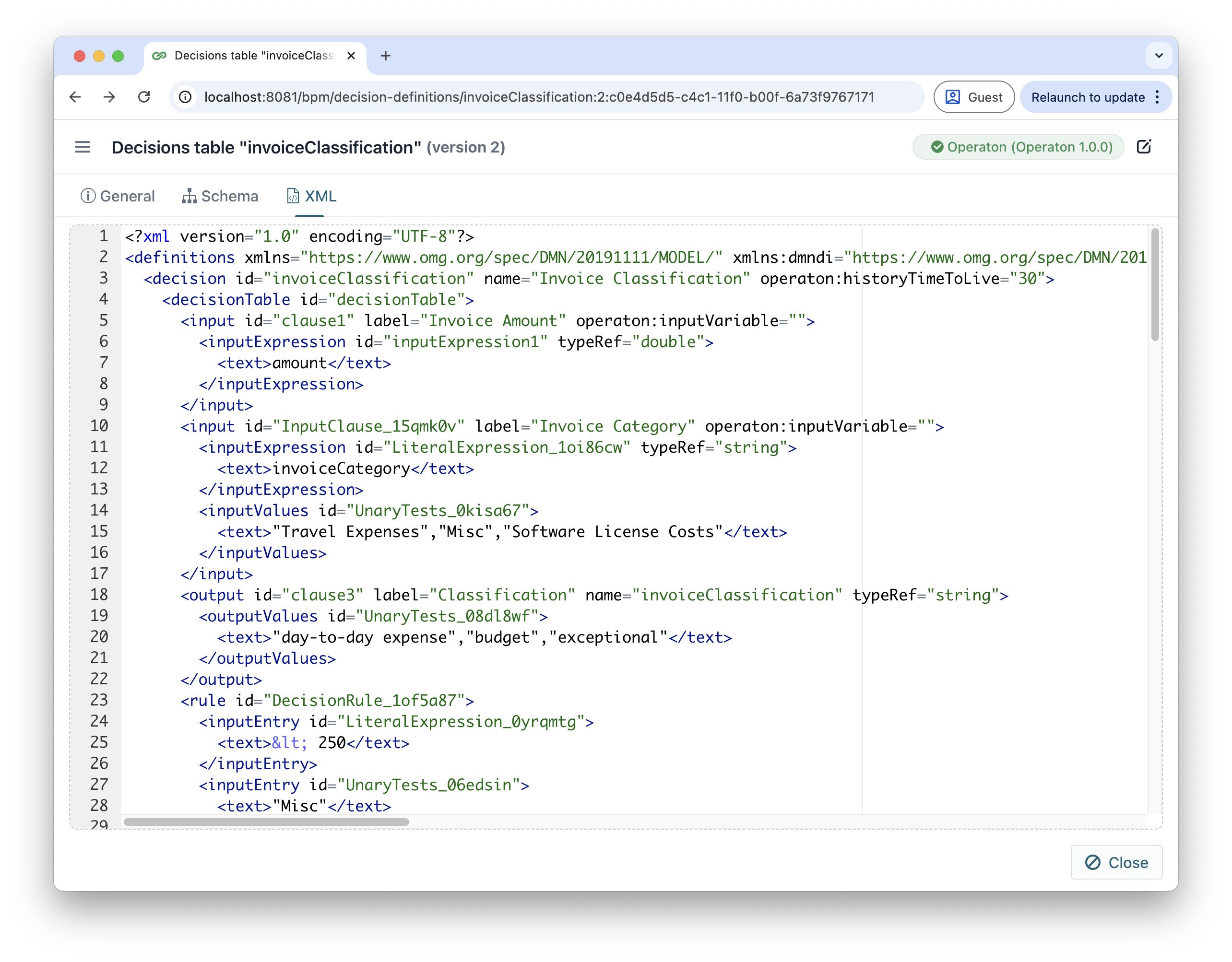
The XML tab - raw DMN 1.1 definition
Analyzing Decision Instances
The decision table instance view includes the basic info about this instance and specialized features for analyzing executions.
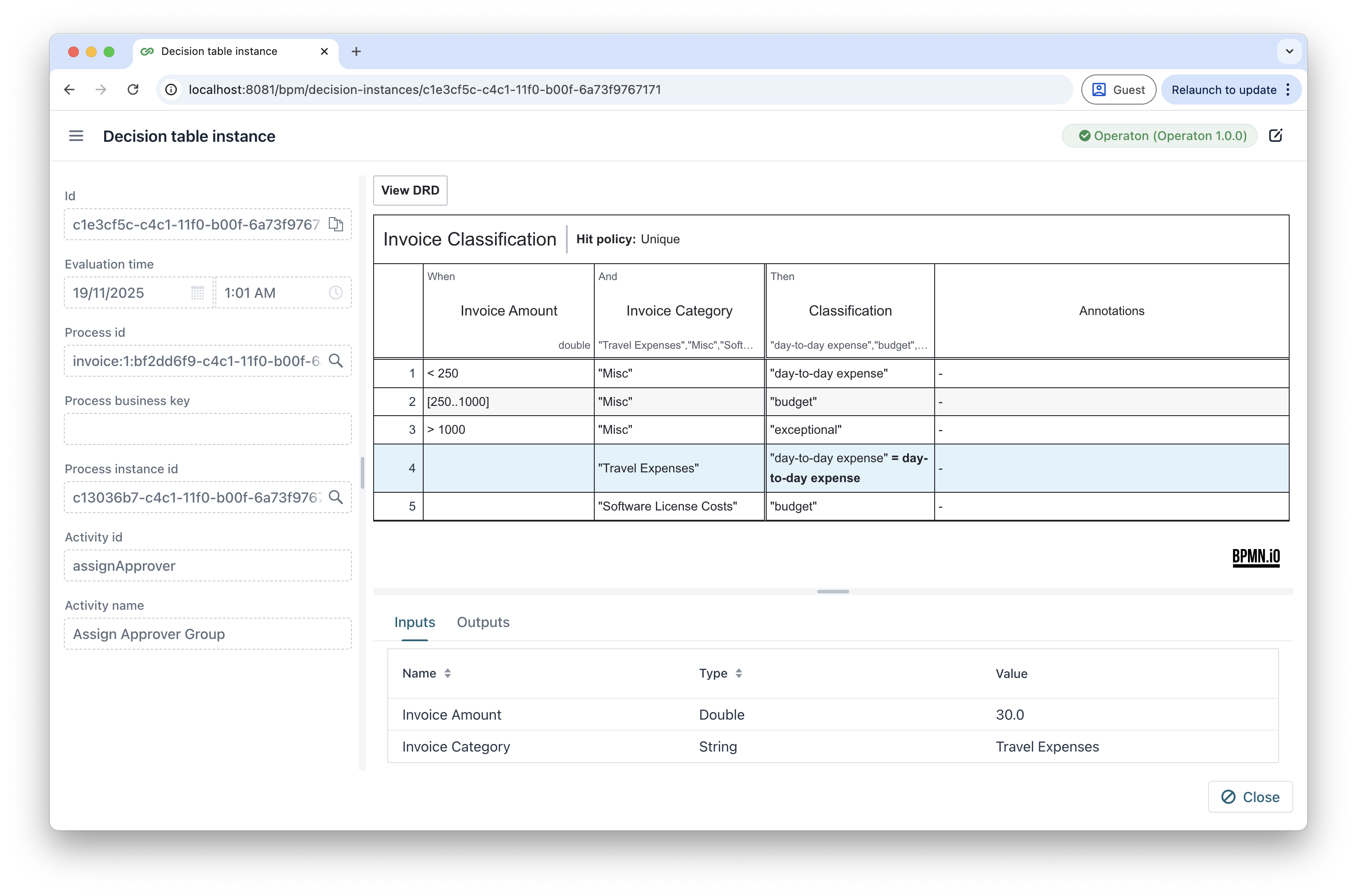
Input/Output Parameters
-
Clear tabular representation of all parameters.
-
Organized by execution flow.
Highlighted Rules
-
Applied rules are visually emphasized.
-
Color-coding indicates which expressions were evaluated and triggered.
DRD View
The View DRD button provides access to the complete Decision Requirements Diagram, with the following considerations:
-
Navigating to the DRD view clears current execution highlights.
-
The diagram shows the full decision dependency network.