Processes
The Processes view provides centralized management for all business processes deployed to your active BPM engine. Access this view by selecting Processes in the application menu.
Process List Features
The processes table displays:
-
Latest versions of deployed processes
-
Process names, versions, and deployment status
-
Filtering and sorting capabilities
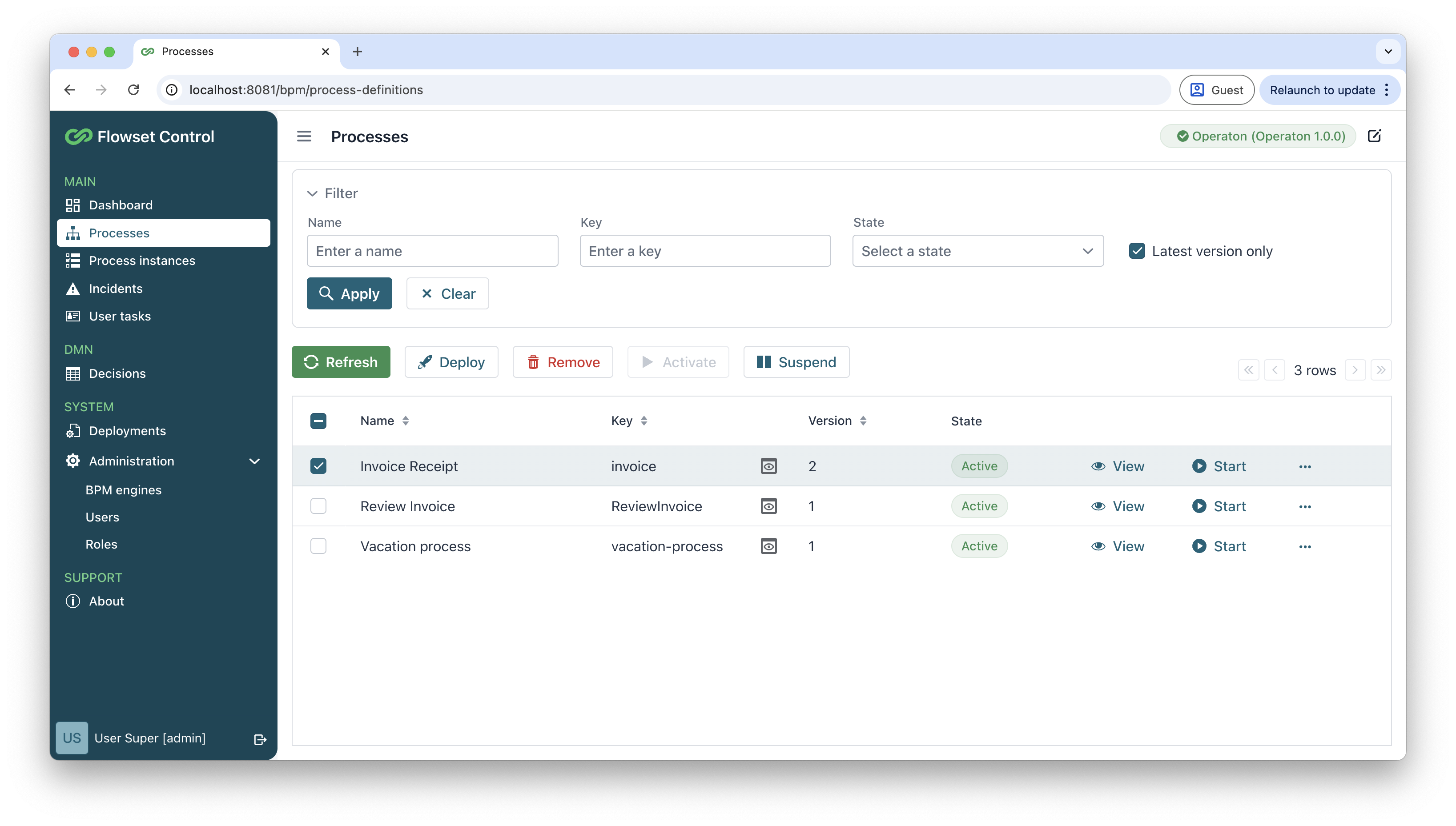
The following actions are available:
| Action | Description |
|---|---|
Refresh |
Reloads the current process list from the connected BPM engine. |
Deploy |
Uploads and deploys new BPMN 2.0 process definitions. See Deploying Processes. |
Remove |
Deletes selected processes and their running instances. |
Activate |
Resumes execution of suspended process versions. |
Suspend |
Pauses active process versions and their instances. |
View |
Displays detailed process information including:
|
Start |
Launches a new process instance. See Starting Processes. |
Migrate |
Moves running instances to newer process versions. See Process Migration. |
Deploying Processes
To deploy a new process or version:
-
In the Processes view, click Deploy
-
In the New process deployment view, click Upload and select your BPMN 2.0 XML file.
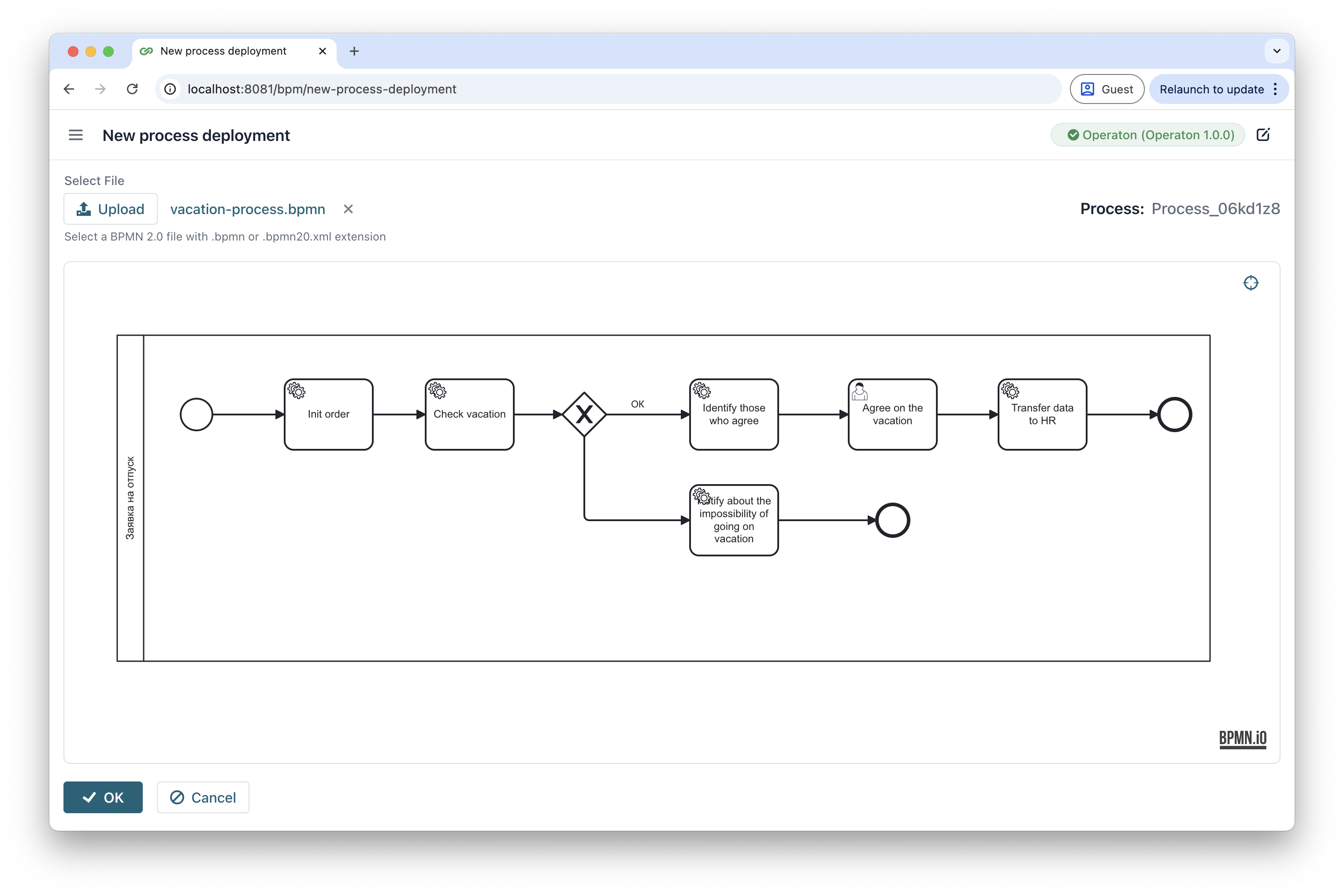
The system will validate the BPMN 2.0 syntax and display a preview of the process diagram.
-
Click OK to complete deployment.
Starting Processes
Launching a process creates a new process instance that automatically appears in:
-
Process instances view
-
System dashboard
To start a process:
-
Click the Start button next to the desired process.
-
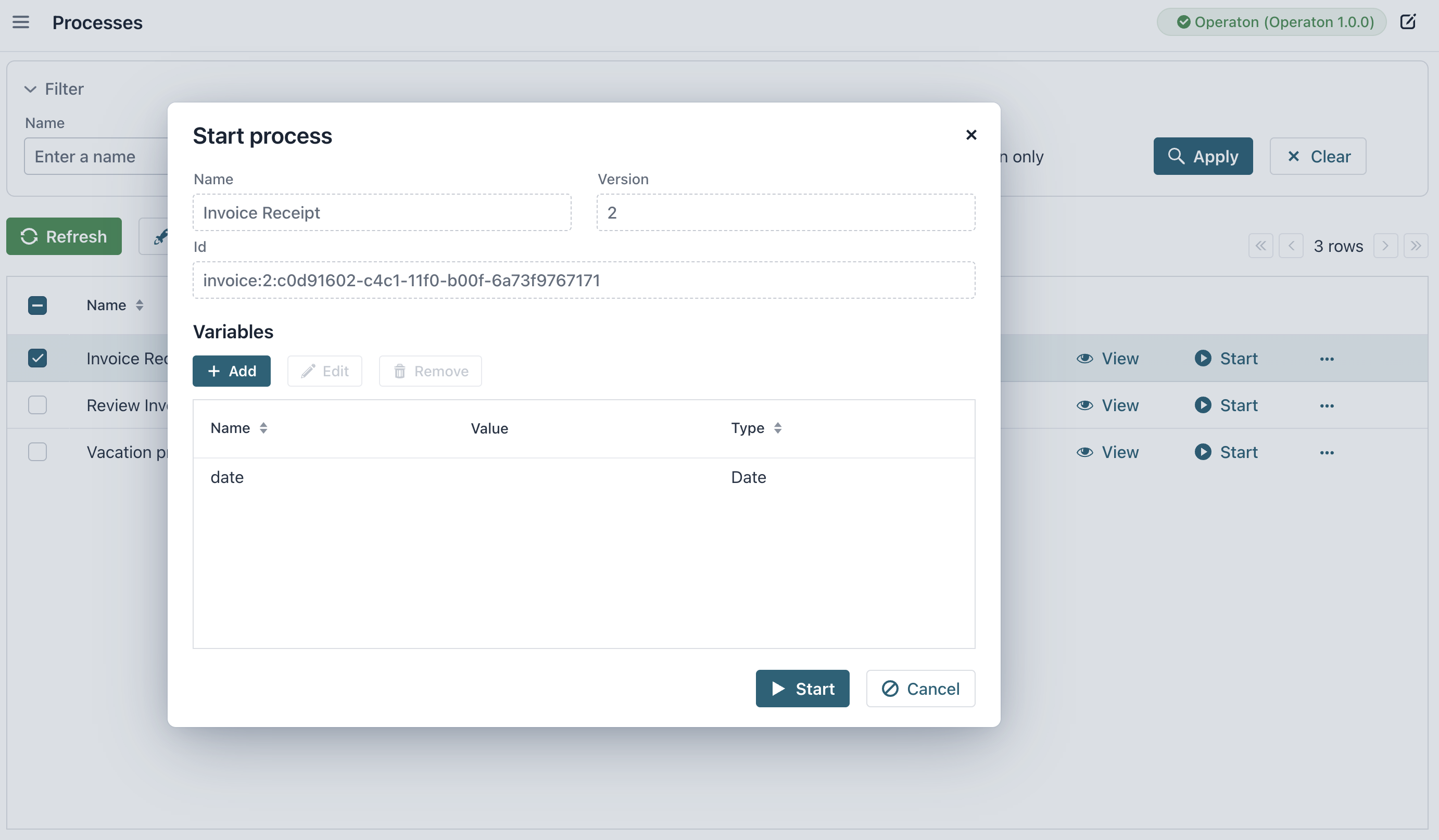
In the Start process dialog, you can add process variable values.
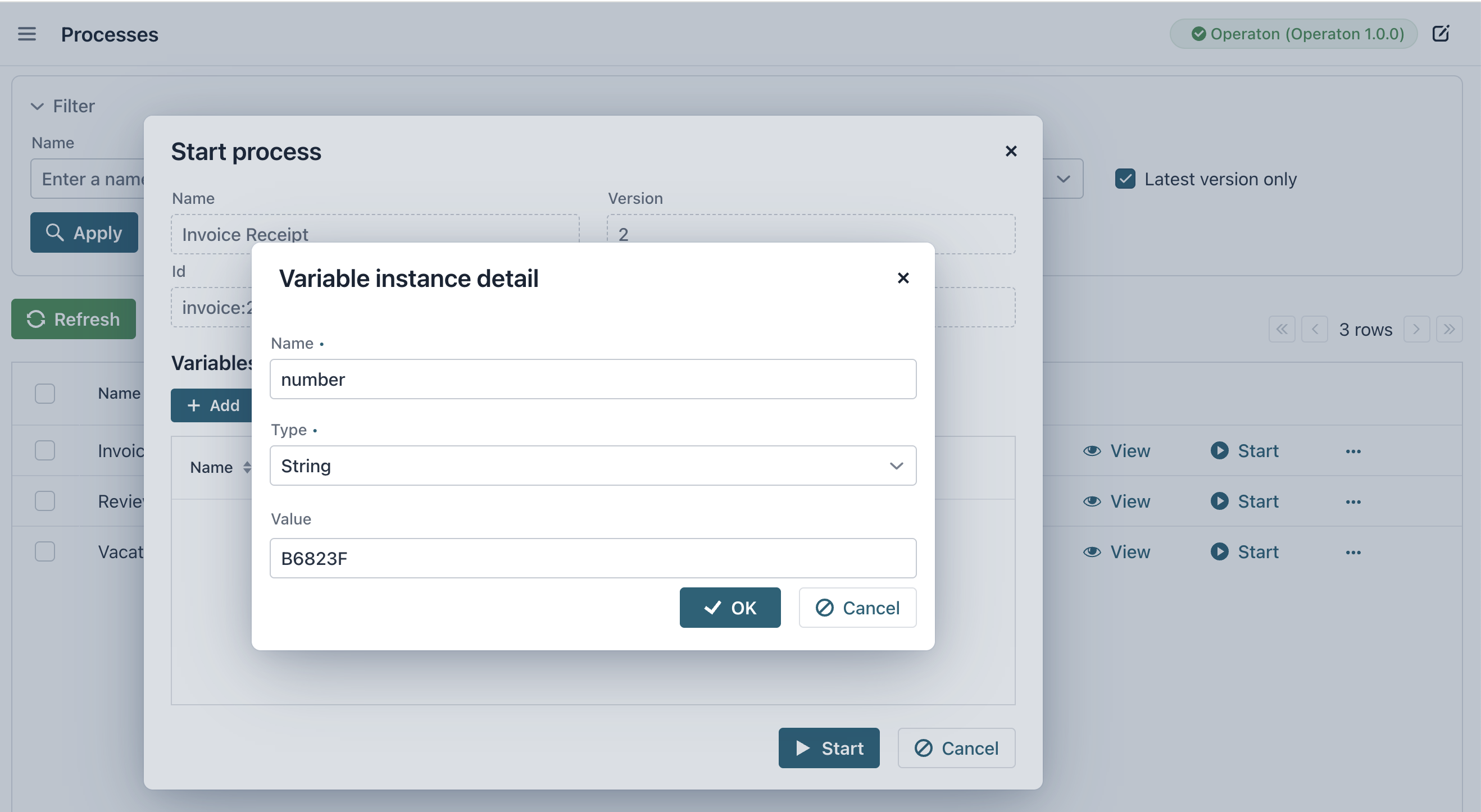
These values can then be used by tasks within the process for execution or debugging.
-
Click Start to create a new process instance.
Viewing Process Details
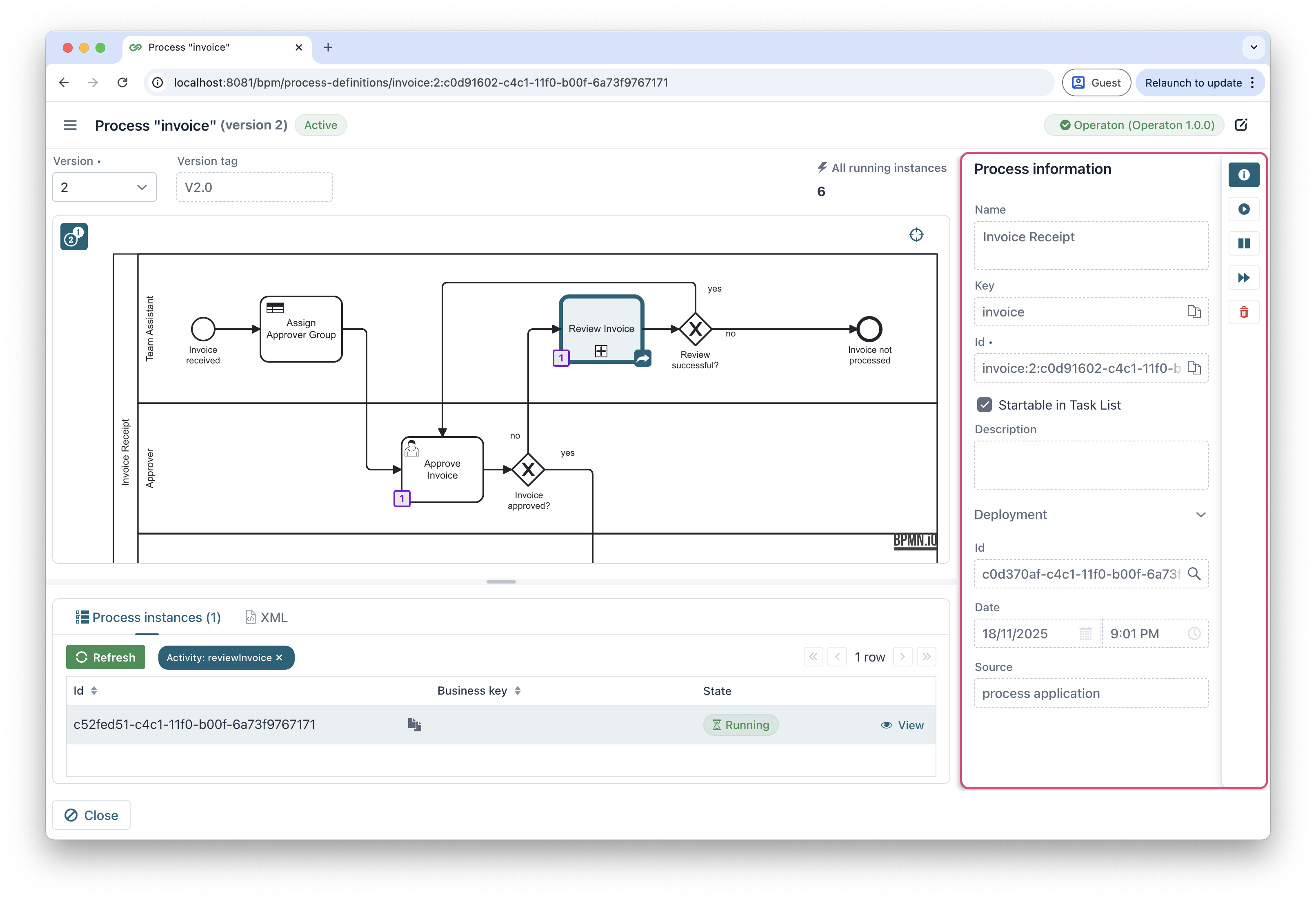
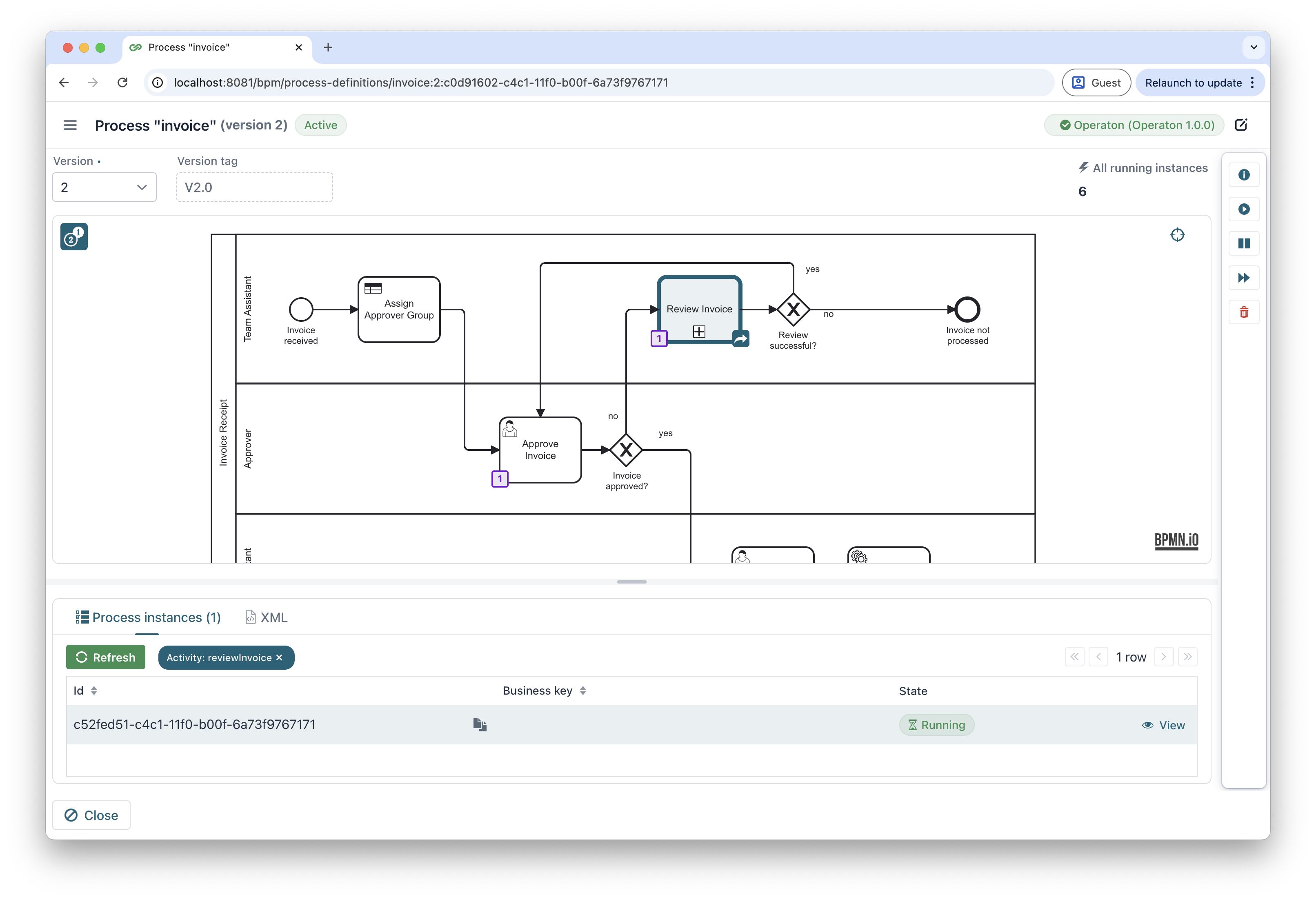
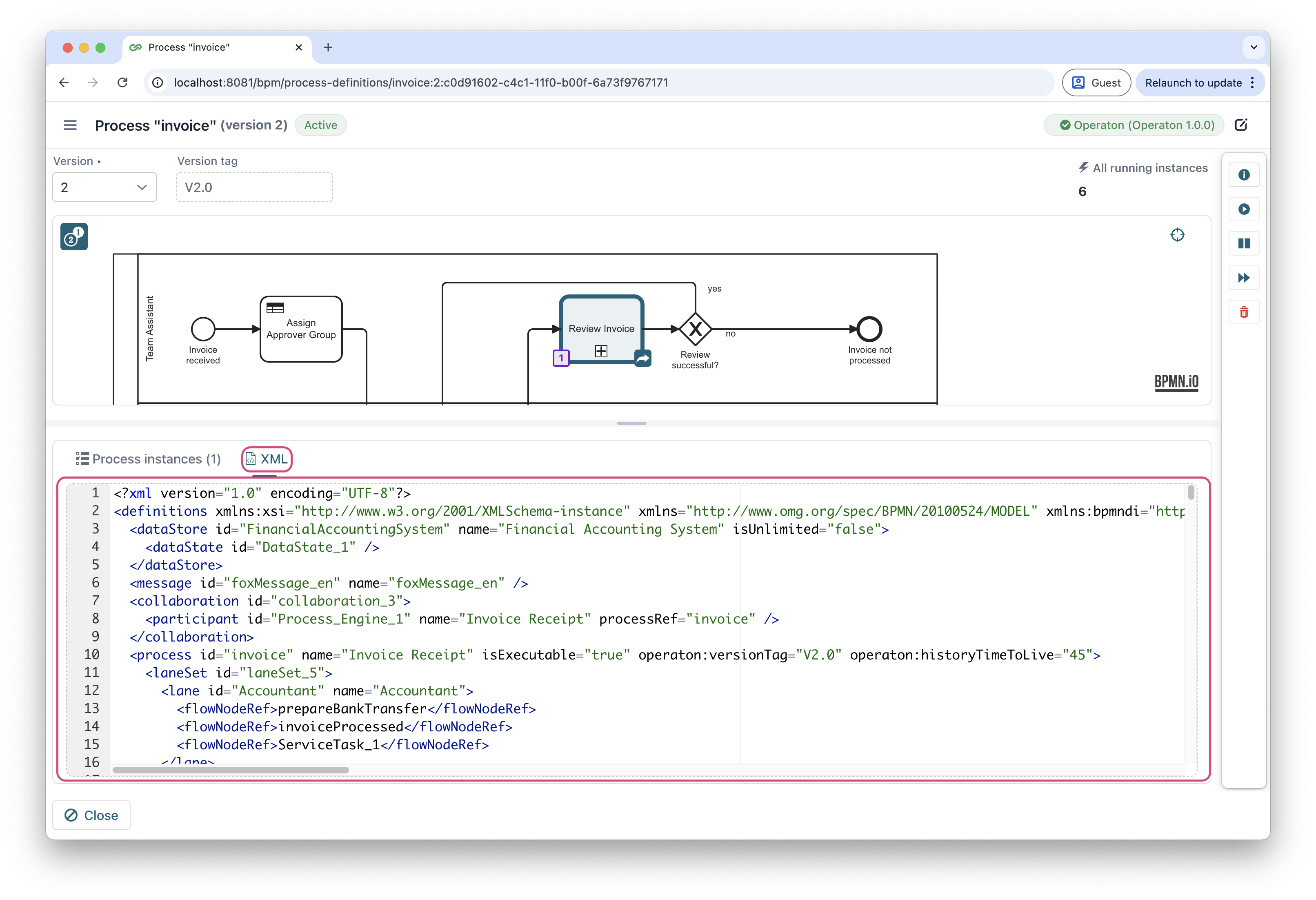
The View action provides comprehensive insights into deployed processes.
Select target process and click View in the actions column. The application opens in a multi-tab view:
-
The General tab - basic process information
-
The Diagram tab - visual representation of the BPMN workflow
-
The XML tab - raw BPMN 2.0 definition
Process Migration
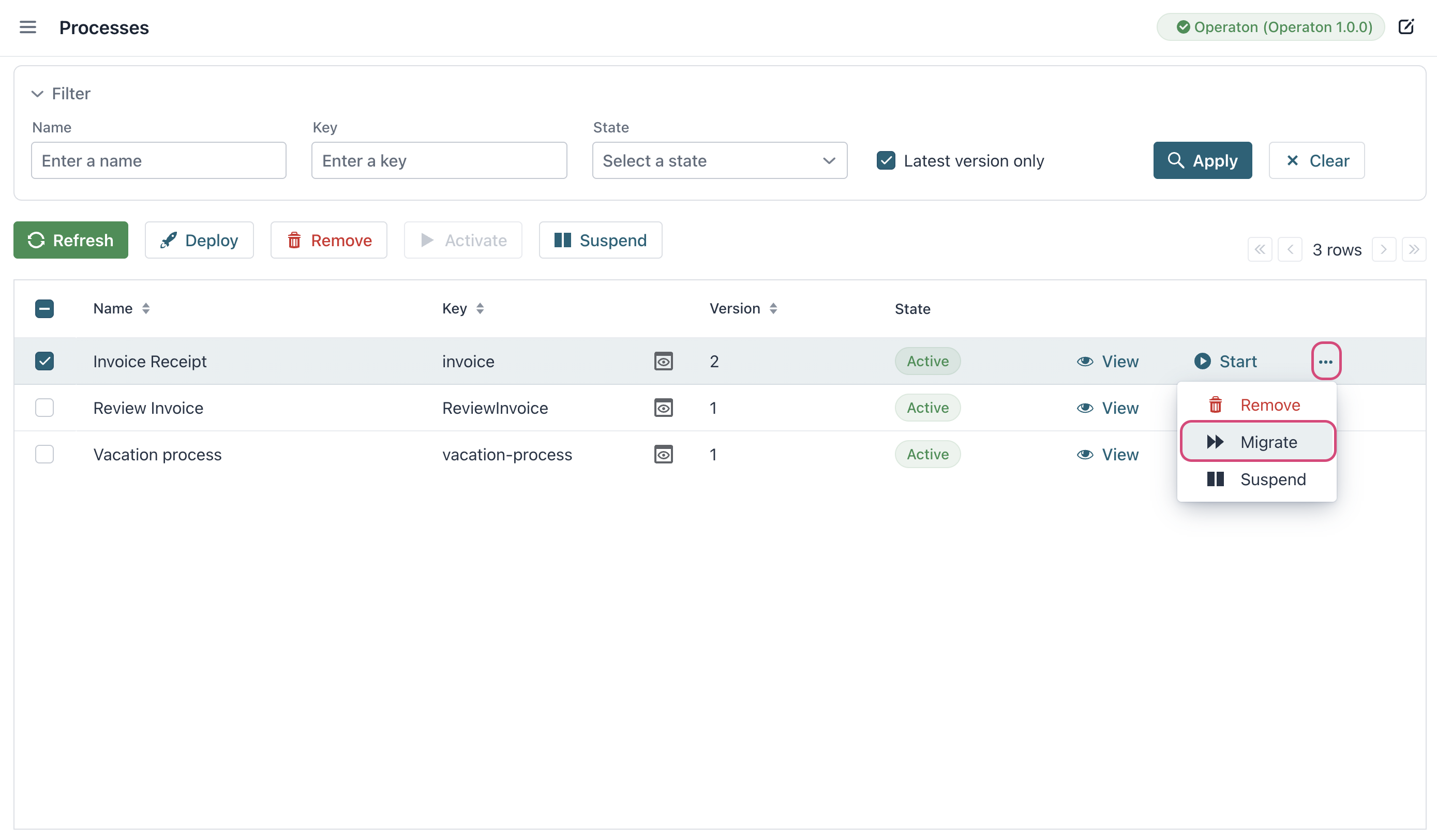
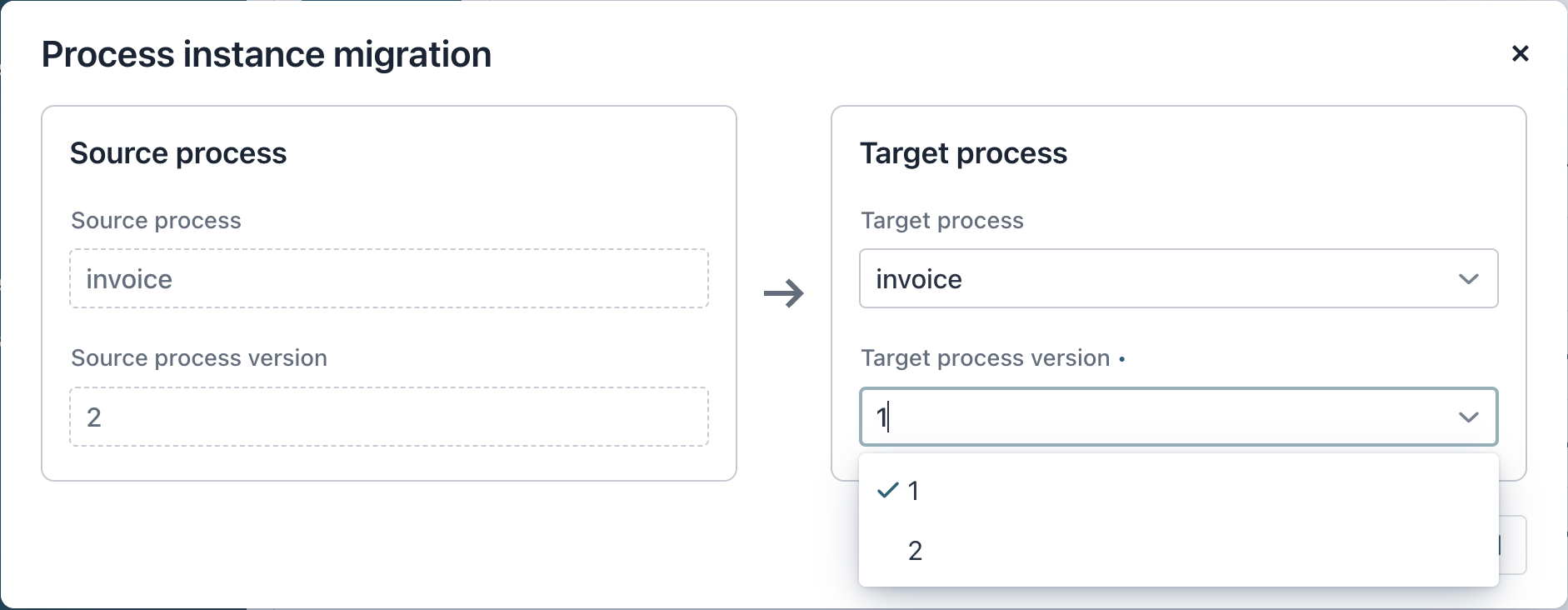
The actions column enables migration of running process instances to newer process versions directly from the Processes view.
-
Select target process in the processes table.
-
Click ... → Migrate in the actions column.
-
Configure migration:
-
Source process: Automatically detected (current running instances).
-
Target process: Select from deployed versions dropdown.
-