Setup
Installation in IntelliJ IDEA
The Flowset Studio plugin extends the functionality of IntelliJ IDEA by adding support for developing and testing BPM processes.
Method 1 (recommended): installation via the marketplace
-
Open IntelliJ IDEA.
-
Go to the menu:
IntelliJ IDEA → Settings → Plugins.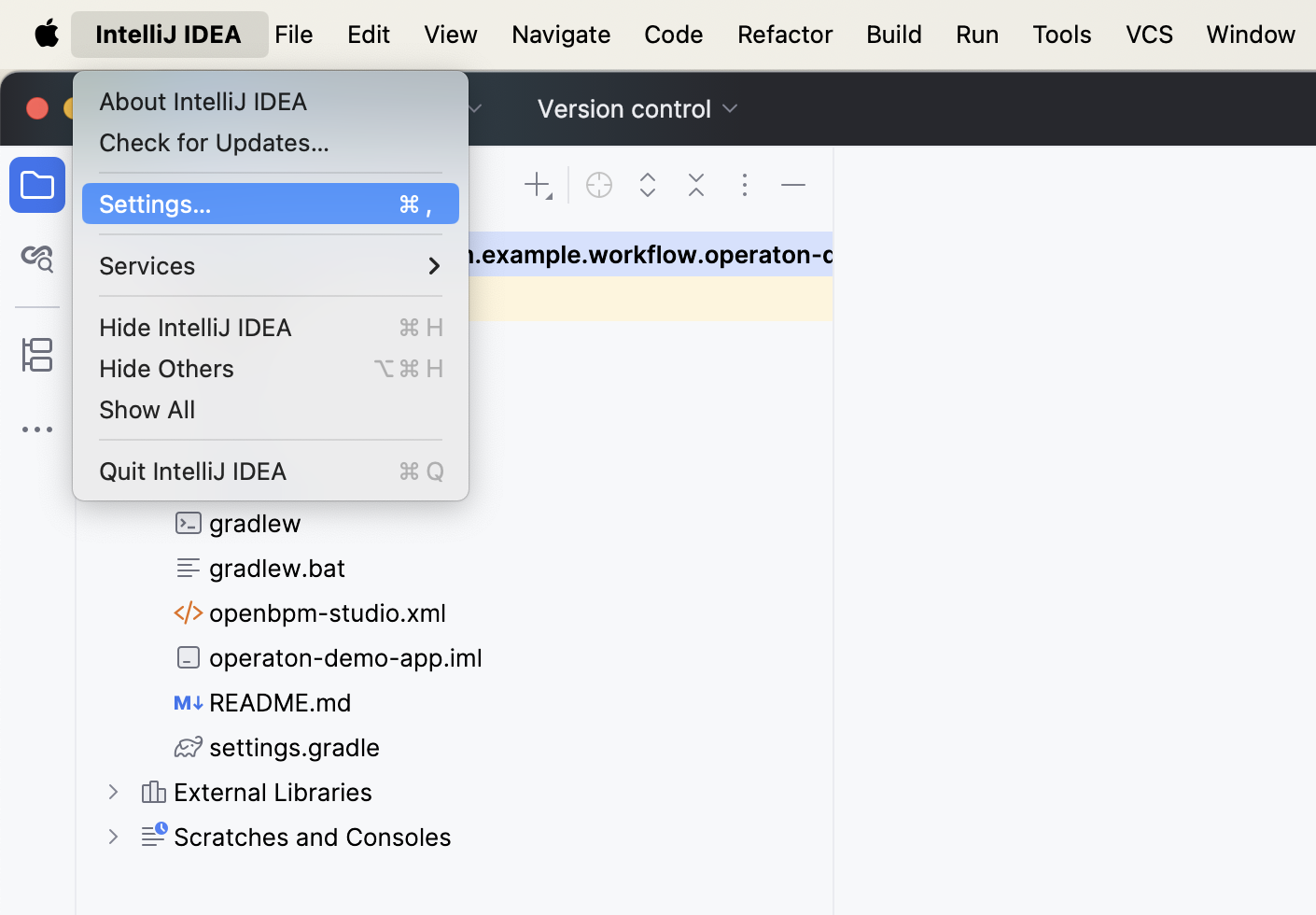
-
Switch to the Marketplace tab and enter into the search field:
Flowset.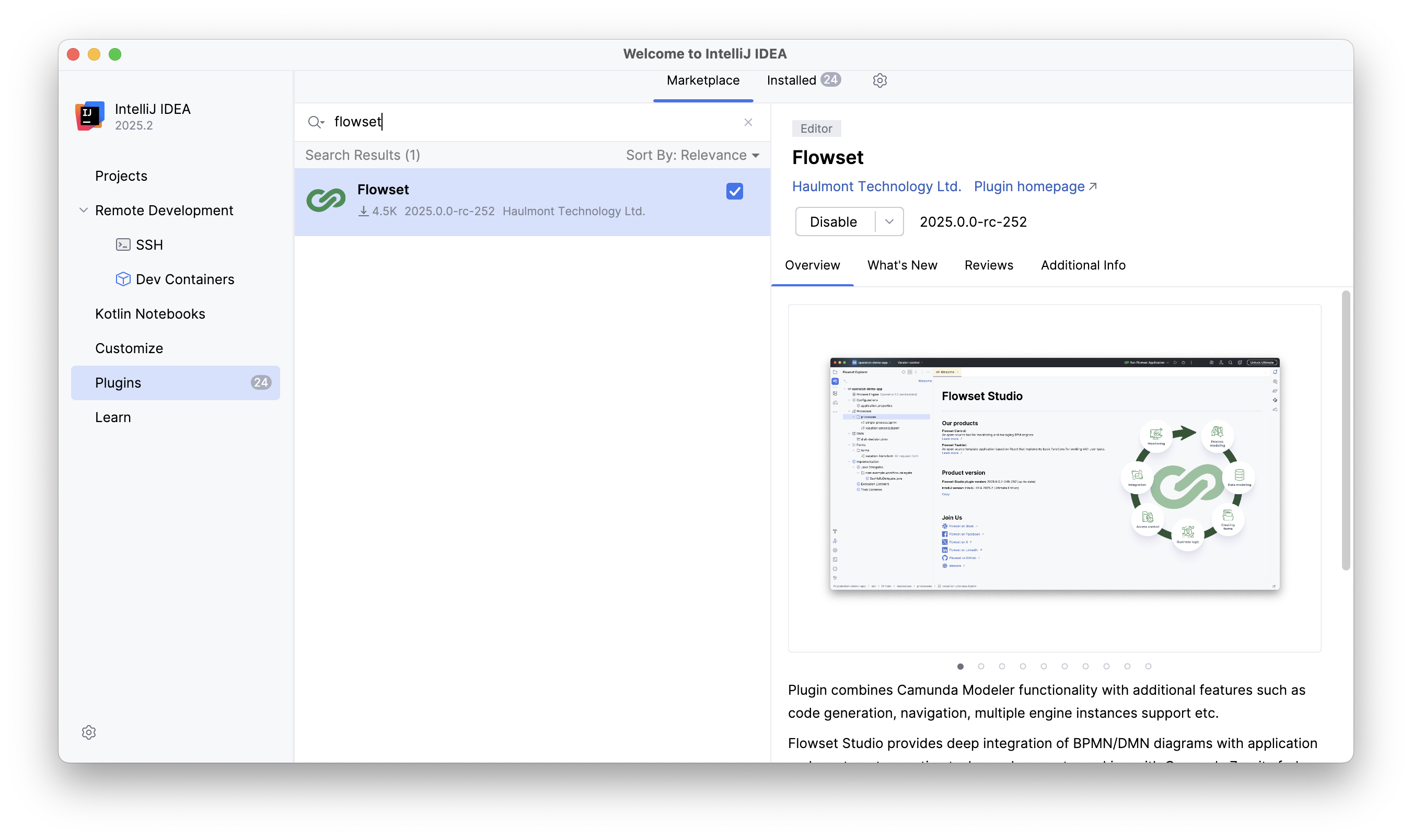
-
Click Install to install the plugin.
-
Restart IntelliJ IDEA to activate it.
Method 2: manual installation
-
Download the plugin archive from the provided link.
-
In IntelliJ IDEA, open the menu:
Settings → Plugins → ⚙️ → Install Plugin from Disk.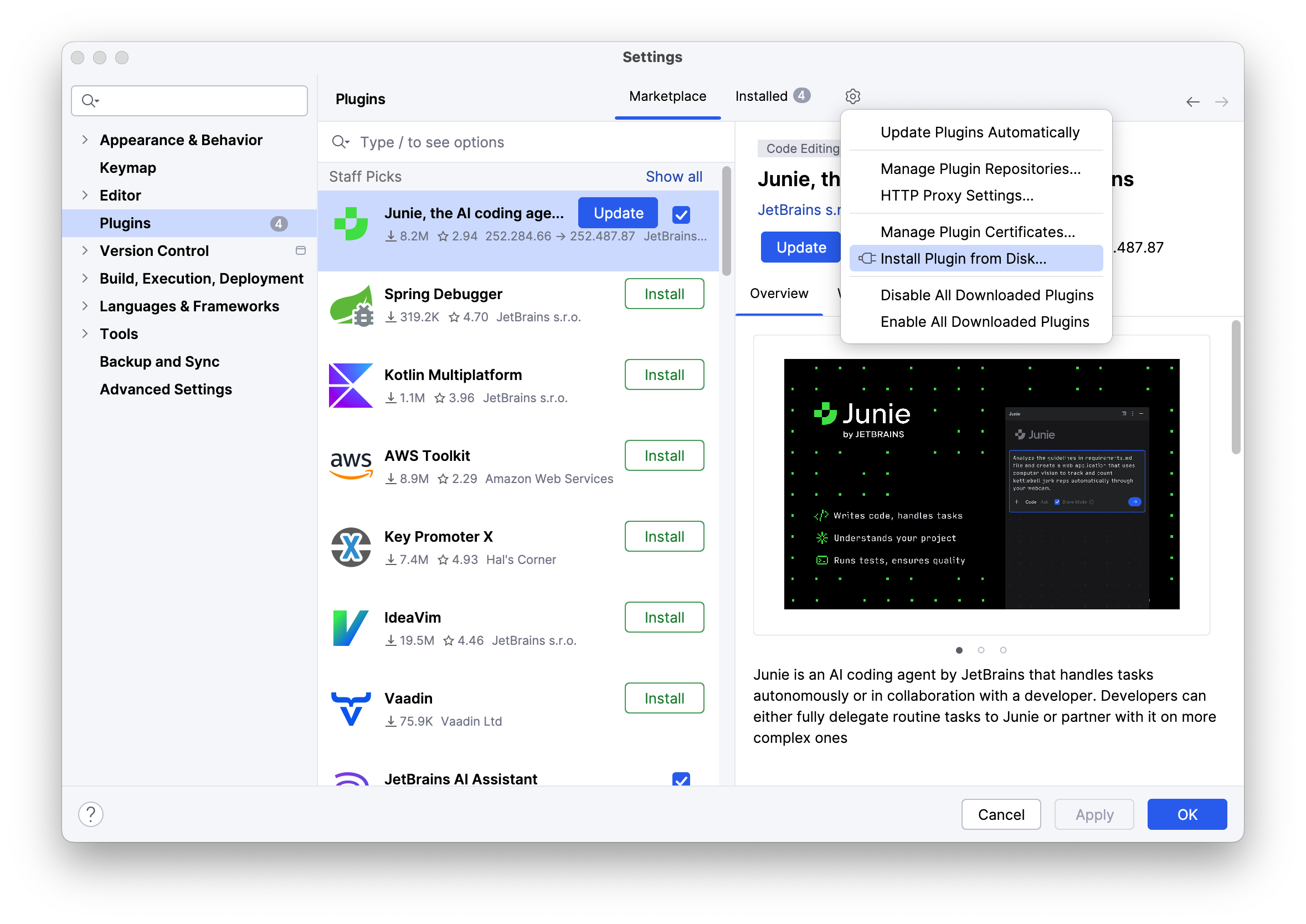
-
Select the downloaded plugin archive.
-
Confirm the installation and restart the IDE.
After successful installation, an Flowset Studio section will appear in the IDE, from which you can create, edit, and run processes.