Process Element Documentation
Flowset Control can display documentation for individual BPMN elements directly on the process diagram.
When a process developer adds a Documentation entry to an element in the BPMN XML, that text becomes accessible to operators and analysts in Flowset Control — without having to open the source model.
This makes it easy to understand the purpose of a task, gateway, or event right in context, while monitoring or analyzing a running process.
The feature is available on the following pages:
-
Viewing a Process Definition (process definition)
-
Viewing a Process Instance (process instance)
Viewing Element Documentation
Elements that have documentation attached are indicated by a question mark icon (?) displayed on the element in the BPMN diagram.
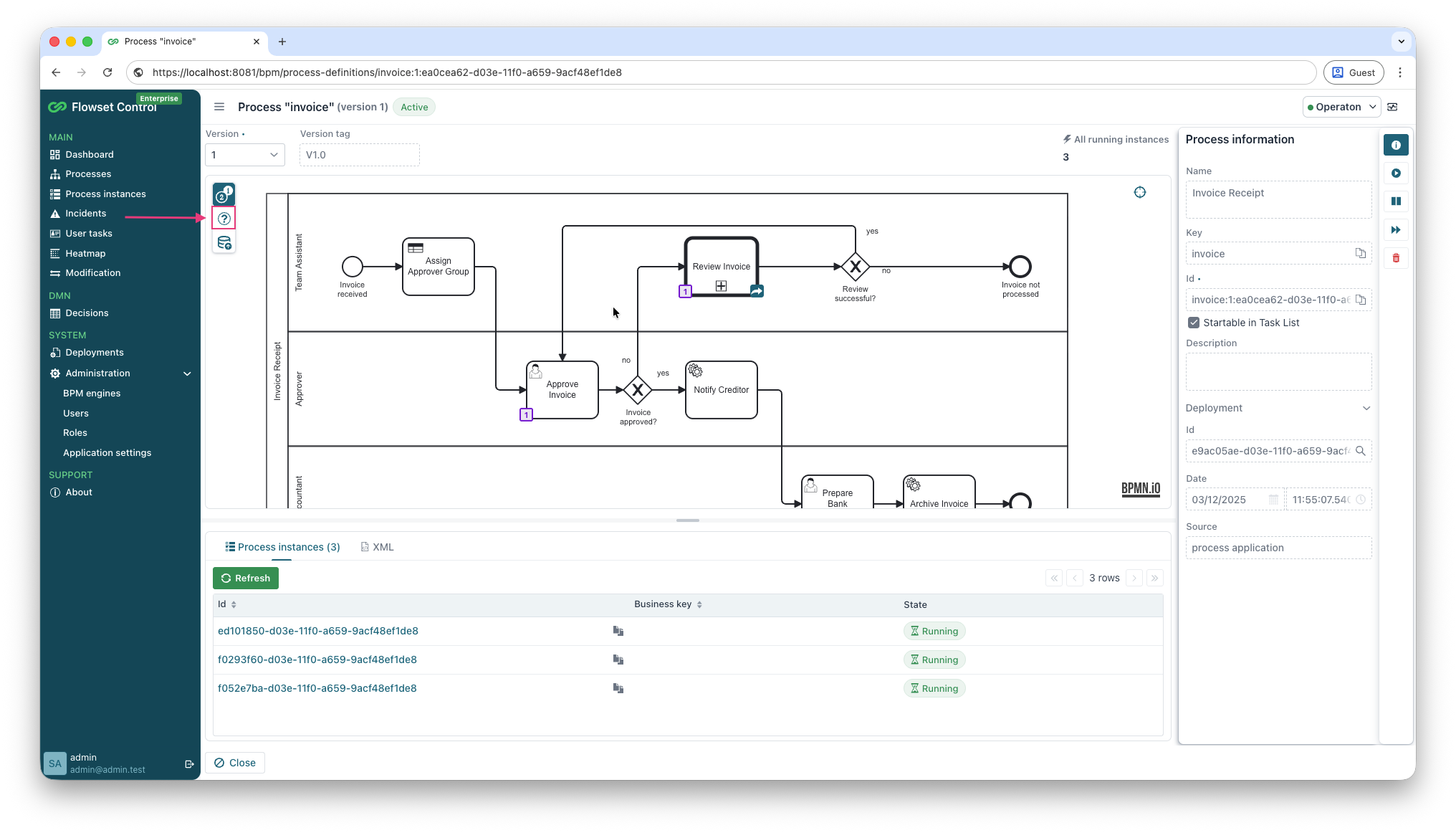
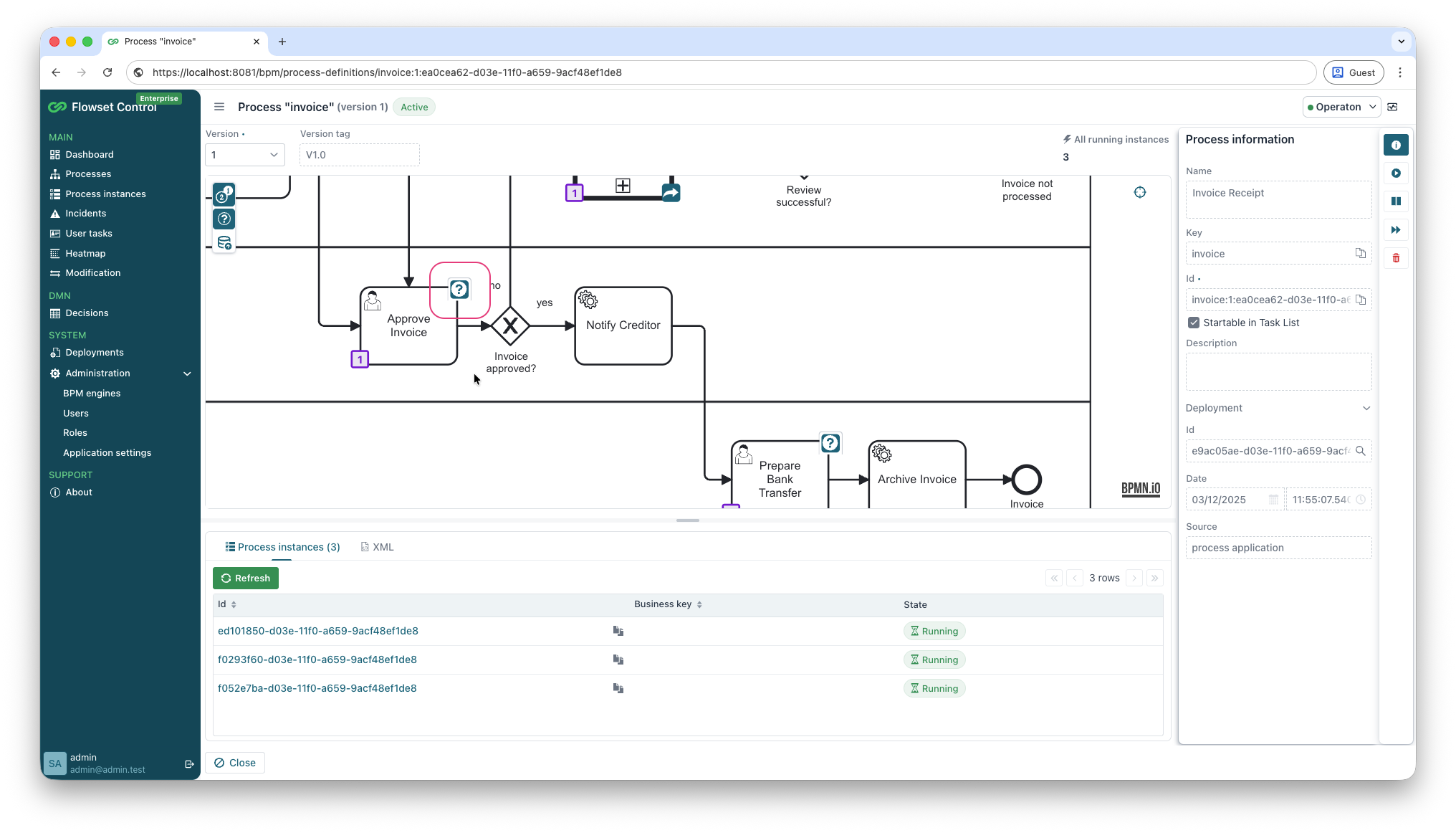
To view the documentation for an element:
-
Navigate to Processes or Process Instances.
-
Select the desired process and open its diagram.
-
Click the ? icon on any BPMN element that has documentation attached.
-
The Element documentation dialog will open.
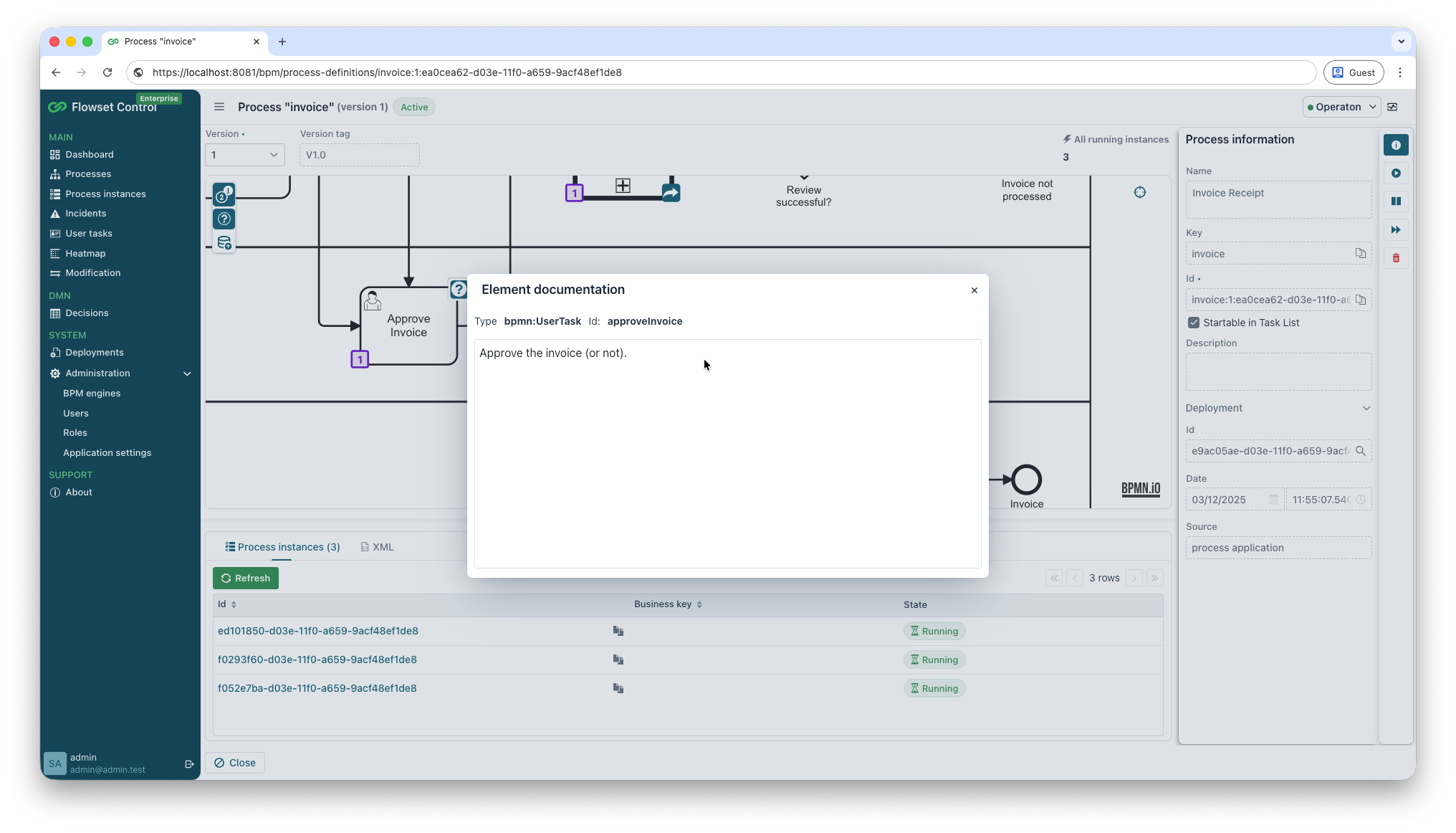
The dialog displays:
-
Type — the BPMN element type (e.g.,
bpmn:UserTask,bpmn:ServiceTask). -
Id — the unique identifier of the element as defined in the BPMN XML.
-
Documentation text — the description written by the process developer.
Documentation in BPMN XML
Element documentation is defined in the BPMN source using the standard <documentation> tag inside any flow element:
<bpmn:userTask id="approveInvoice" name="Approve Invoice">
  <bpmn:documentation>Approve the invoice (or not).</bpmn:documentation>
  ...
</bpmn:userTask>
Flowset Control reads this value automatically when the process is deployed — no additional configuration is required.
|
Documentation can be added to any BPMN element that supports it: tasks, gateways, events, sub-processes, and sequence flows. |