Transaction Boundaries
|
This feature is available exclusively in the Flowset Control Enterprise edition. |
Transaction boundary visualization is a visual highlight of commit points and wait states of the BPM engine. The feature helps to:
-
understand where the process saves its state;
-
see where new transactions are created;
-
analyze the correctness of asynchronous continuations;
-
identify retry risks and potential bottlenecks.
The feature is available on the following pages:
-
Viewing a Process Definition (process definition)
-
Viewing a Process Instance (process instance)
How to Enable the Display
-
Navigate to Processes or Process Instances.
-
Select the desired process.
-
Open the diagram.
-
Enable Transaction Boundary Display.
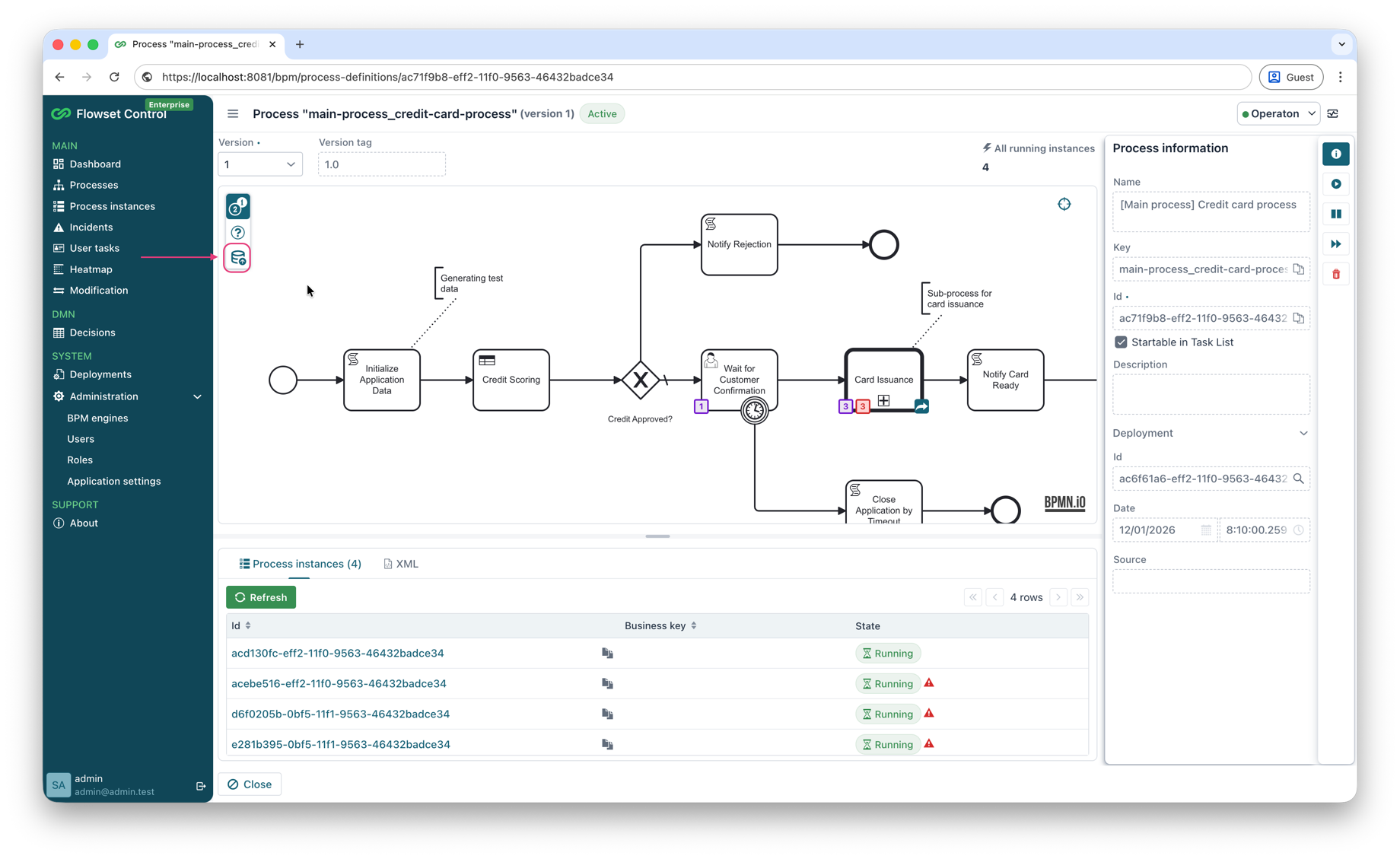
Transaction boundaries will be shown directly on the BPMN diagram.
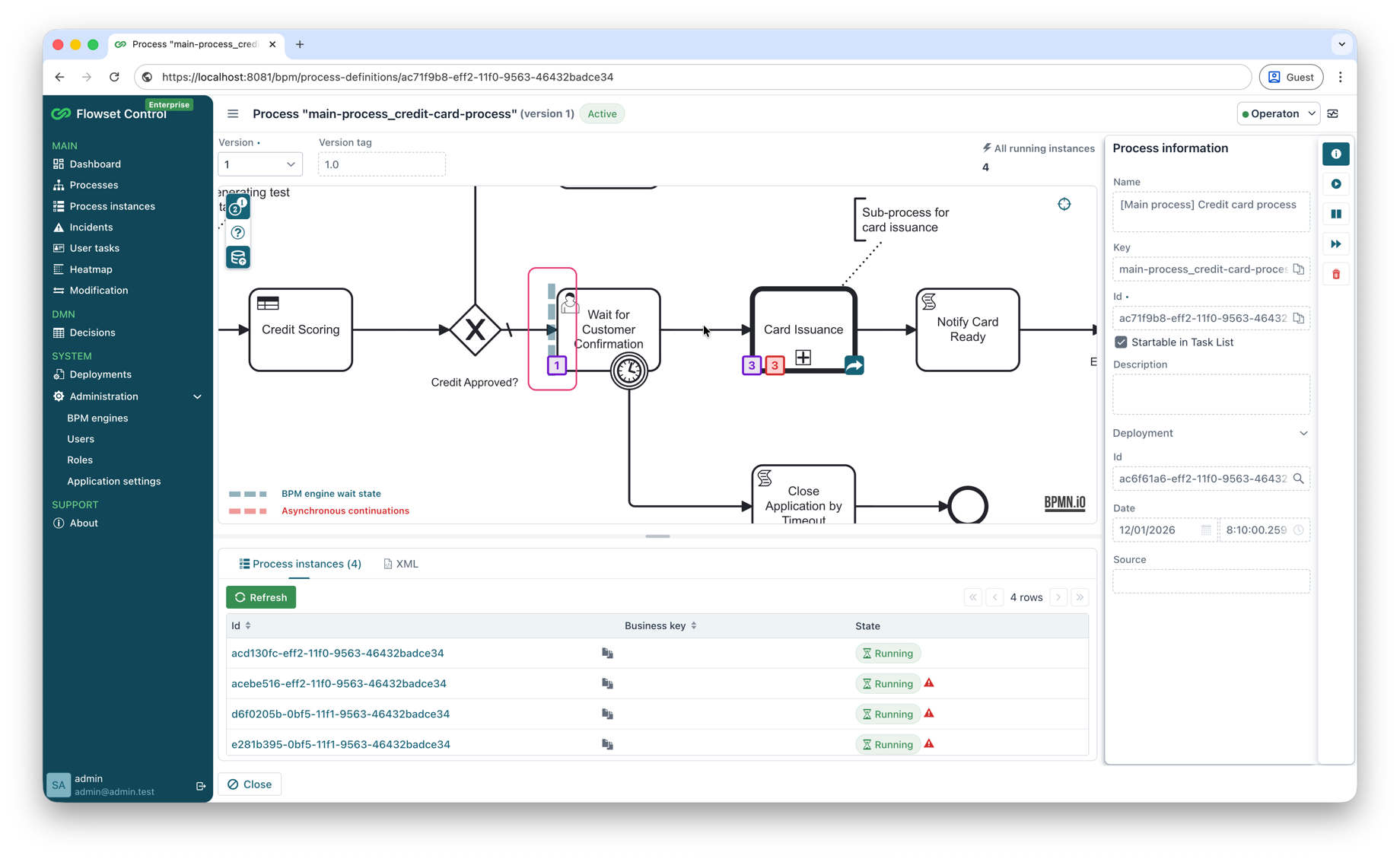
Diagram Legend
Two types of dashed lines are used for the display:
-
Blue dashed lines — transaction commits performed by the BPM engine by default.
-
Red dashed lines — commits defined by a developer during process modeling.
BPM Engine Wait State
Indicated by blue markers on the incoming or outgoing flows of an element.
-
Marks the point at which the process saves its state and enters a waiting mode.
-
After this point, execution continues within a new transaction.
-
Commonly corresponds to:
-
Service Task (External);
-
Receive Task;
-
User Task;
-
Message Catch Event;
-
Timer Event;
-
Signal Event;
-
Event Based Gateway;
-
Asynchronous Continuations (Async Before/After)
Indicated by red dashed markers on the boundaries of an element.
-
Signal that a separate transaction is created before (async before) or after (async after) an activity is executed.
-
Allow the execution of an activity to be isolated.
-
Used to improve fault tolerance and process manageability.